Prompt Engineering for AI Script Cleanup in Technical Video Production
One prompt structure keeps AI script cleanup consistent across every video revision.
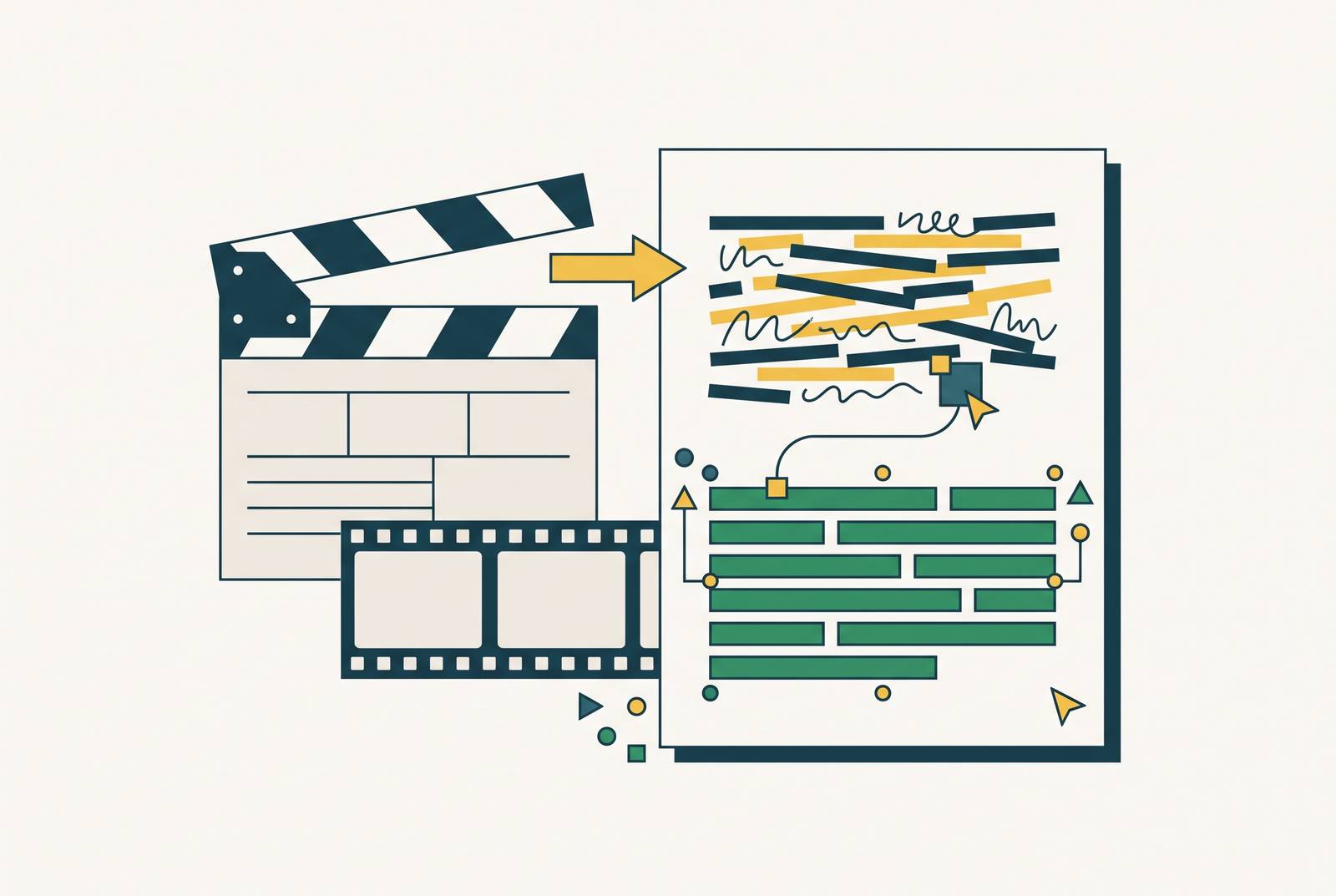
A single screen recording can produce both a finished product walkthrough video and a written step-by-step guide, but only if the script cleanup between them is handled with the right constraints. Clueso is built around this exact workflow: record once, and the system generates a narrated video with voiceover, zooms, and captions alongside a documentation draft from the same source. Getting that script cleanup right, whether you're doing it by hand with a prompt or relying on a platform to handle it, depends on four specific constraints covered below. The rest of this piece lays out what those constraints are and why skipping any one of them breaks the output in a predictable way.
Why raw screen recording transcripts fail as video narration
A transcript pulled from a screen recording reads something like this: "So, um, you're gonna want to, basically, go to the dashboard, and then, you know, click on the settings, the settings icon there, and then once you've done that you'll see, basically, the options." That's the raw material most teams start with, and it's unusable as narration without real rework.
Spoken narration carries filler words, false starts, and the same clause repeated twice because the speaker corrected themselves mid-sentence. Technical walkthroughs add a second layer of trouble on top of that: the speaker mixes product names, abbreviations, and casual shorthand in the same breath, over-explains steps that are obvious on screen, and rushes past the one step a new user actually needs spelled out. A pacing issue causes both problems: spoken narration follows the rhythm of the speaker's breath, not the rhythm a viewer needs to follow along. Sentences run long, transitions get implied instead of stated, and the line between one step and the next blurs.
None of this is a word choice problem. Swapping in better vocabulary or running a basic grammar check leaves the sentence structure, the pacing, and the step boundaries exactly as broken as they started. Asking an AI model to clean up this kind of transcript with a vague instruction like "polish this" or "make it sound better" doesn't work: the model has nothing to push against, so it smooths the surface language while the structural defects underneath stay fully intact.
Why "make this sound professional" is not a prompt, it's an instruction to guess
An instruction like "make this sound professional" hands the AI every creative decision the production team should have made ahead of time, and that's why results from this kind of prompt vary so much from one run to the next and from one reviewer's taste to another's.
The model defaults to a generic middle register when the audience is undefined, landing too casual for enterprise software documentation and too formal for a SaaS walkthrough meant for non-technical end users. Without instructions on technical depth, the model either expands every piece of jargon into a lengthy explanation that bloats the video's runtime, or it quietly drops the technical precision the content actually needed, trading accuracy for readability neither side asked for. Without a tone anchor, the same sentence can come out as a command in one paragraph and a question in the next, and that inconsistency appears across the full video for viewers watching it. Without a pacing cue, the model can't tell a step that needs a full sentence from a transition that needs three words, so every sentence ends up roughly the same length regardless of what it's doing on screen.
Review is where the real cost appears. Every reviewer ends up correcting a different thing, none of those fixes get captured anywhere reusable, and the next script starts the cleanup process from zero all over again. Specificity in the prompt reduces how much the model has to guess. Every constraint the team writes down is a decision made once, not an argument reopened on every single pass through review.
The four constraint categories a script cleanup prompt must specify
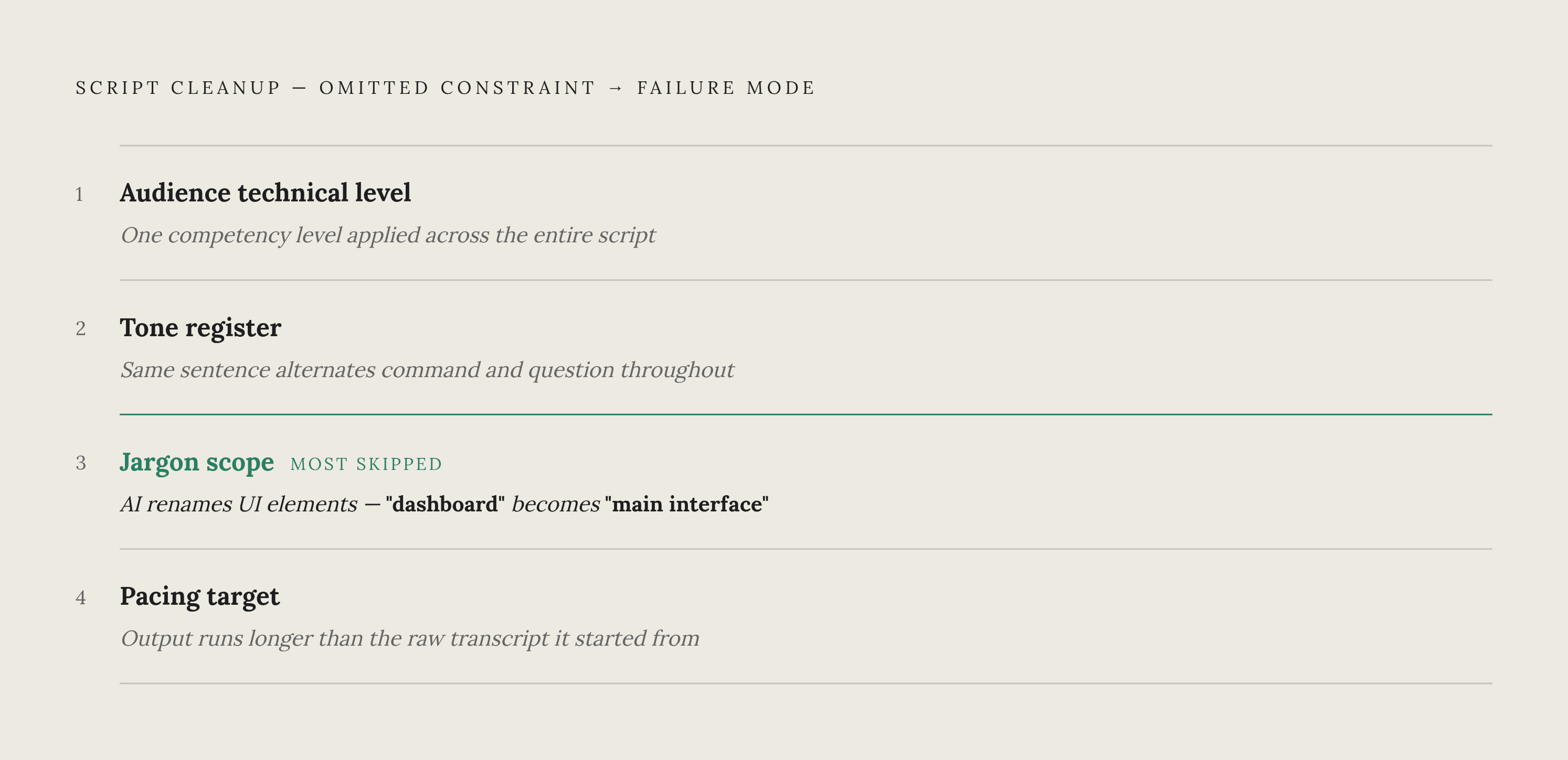
Every script cleanup prompt that works reliably for technical video specifies the same four things: audience technical level, tone register, jargon scope, and pacing target. If any one of the four is left out, the output breaks in a specific, predictable way.
Audience technical level
This constraint tells the AI what it's allowed to assume the viewer already knows. It decides whether acronyms get spelled out, whether product terms get defined on first use or just used without explanation, and whether each step gets broken into fine detail or compressed into one line. A working instruction pattern is: "Assume the viewer is a mid-level SaaS administrator who knows what a webhook is but has never configured one in this product. That single sentence gives the model a clear rule to apply every time it hits an ambiguous term. If this constraint is skipped, the model applies one competency level across the entire script, which is almost never right. Onboarding content for brand-new users and a walkthrough of an advanced feature need different levels of explanation even inside the same product.
Tone register
Tone isn't a style preference here, it's a trust signal. A tone that's too casual in compliance or security training undercuts the content's credibility, and a tone that's too stiff in a product onboarding video creates friction right when a new user needs things to feel easy. Useful anchors to hand the model include sentence person (second person, imperative), a contraction policy (use them or avoid them), an energy level ("direct and efficient, no filler affirmations like 'great'"), and specific banned words ("never say 'simply' or 'just'"). Those last two matter because they target the exact habits AI models fall into most often with technical copy: forced enthusiasm and words that make a hard step sound easier than it is.
Jargon scope
Jargon scope works like a whitelist and a blacklist in the same instruction. The prompt should name the exact product terms the model must preserve, meaning brand names, feature names, and UI labels, alongside the technical terms it's free to use without explanation, and the casual phrases from the raw transcript that need to go. This is the constraint teams skip most often, and without it, AI cleanup routinely renames UI elements on its own, turning "the dashboard" into "the main interface" and breaking the walkthrough's accuracy in the process. A short glossary block, such as "use these terms exactly: Settings > Integrations, API key, workspace," solves this. The model treats that list as fixed vocabulary.
Pacing target
Pacing covers sentence length, how often transitions appear, and how many sentences map to each on-screen action, not how fast someone reads the lines out loud. Useful instructions here include a maximum sentence word count, whether transition phrases are allowed at all, how many sentences belong to each discrete action, and whether a step should end on an action verb or a confirmation line. Giving the model a target word count for the finished script, built from the intended video runtime at roughly 140 to 160 spoken words per minute, gives it a concrete compression or expansion target to hit. Without that number, AI cleanup often turns out longer than the raw transcript it started from.
How to structure the prompt itself, ordering constraints for predictable output
Where a constraint sits inside the prompt changes how heavily the model weighs it. AI models apply positional weighting to instructions: content placed at the start or end of a prompt tends to carry more influence, while instructions buried in the middle get under-applied, and that pattern holds across different model architectures even if the exact direction of the bias varies. A consistent order for the constraints matters more than simply having all the right ones scattered through the prompt.
Start with a role declaration, one sentence that sets up what the model is acting as: "You are a technical video scriptwriter cleaning up a raw screen recording transcript for a B2B SaaS product training video." That single line primes the tone, the register, and the domain before any specific rule appears. Follow it with the audience specification, placed before tone or jargon because audience is the premise that makes the other constraints make sense. Tone and jargon only work relative to who's watching. Put the jargon scope third, as its own labeled block the model can check against as it works through the transcript line by line, rather than something it only applies as a cleanup pass after the fact. Place the tone and pacing rules fourth: this is where the actual transformation instructions live, covering what to cut, what to compress, what sentence structure to aim for, and the target word count for the final script. Close with the output format, specifying whether the result should be plain narration, a two-column script with narration next to on-screen action, or time-coded segments, so formatting decisions don't get tangled up with the content rewriting rules above them.
Keeping that order consistent across every cleanup job is what turns a prompt into something closer to a production spec than a one-off chat message, and it's the foundation the next section builds on.
Pacing cues as a distinct prompt layer in technical narration
Pacing is the hardest of the four constraints to write well, and the one AI gets wrong most often without explicit direction, because pacing in technical video is about keeping the narration in sync with what's happening on screen rather than about rhythm the way it is in a blog post.
In a software walkthrough, each line of narration lines up with one discrete action on screen: a click, a navigation step, an input, a result appearing. If the pacing is off, the voiceover either races ahead of what the viewer sees or sits there waiting for the screen to catch up, and either one breaks the viewer's trust in the video. A handful of direct instructions handle most of this. Telling the model that each sentence should correspond to exactly one on-screen action, and that steps should never get combined into a single sentence, keeps the one-to-one mapping intact. Capping transition sentences at one clause and eight words keeps the gaps between steps short enough that they don't slow the video down. Instructing the model to end each step on a confirmation line, something like "you'll see the new workspace appear," rather than a setup phrase for whatever comes next, gives the viewer a clear signal that the step actually finished. And banning compound sentences joined by "and then," splitting those into two separate sentences instead, keeps one step from blurring into the next.
Longer explanatory segments, like defining a concept or explaining an error message, don't follow the one-action-per-sentence rule, so the pacing instruction needs to shift for those. A line like "explain this concept in no more than three sentences before returning to procedural steps" gives the model a word-count boundary. Another lever worth building into the prompt is asking the model to insert explicit pause markers, written as "[PAUSE]," after each discrete action, which gives the voiceover artist or the text-to-speech engine a synchronization signal that survives the handoff from written script to recorded audio, something a pacing instruction expressed only in prose can't guarantee on its own.
This structural mismatch between spoken transcription and a polished script is why a platform built for video production can handle pacing more reliably than a standalone text prompt. Clueso, for instance, pairs AI script cleanup with video generation from the same screen recording, so the system has access to both the transcript and the visual timeline at once. That means it can align pacing to the actual on-screen action and strip filler language in context, rather than guessing at structure from the words alone.
Treating prompts as versioned production assets, not one-off chat messages
A team that writes a good cleanup prompt once and a team that gets consistent results from that prompt over time are doing two different things. Whether the prompt gets versioned, tested, and maintained the way any other production template would be determines the difference.
The problem compounds quietly. Every time a team builds a cleanup prompt from scratch instead of pulling up the last one, they end up re-deciding the same questions, audience level, jargon scope, tone, and each pass introduces small variations that appear as inconsistency across the video library later. The fix is to store prompts in a shared document next to the scripts they produced, so that when a reviewer asks for a change, the team edits the prompt itself. Prompts should get a new version number whenever the target audience, the product, or the tone standard changes, with the same discipline a team would apply to updating any other template. And it's worth logging which prompt version produced which script, because that record is what makes it possible to reproduce a cleanup result exactly, which matters when a video needs an update months later and the new narration has to match the style of the original.
Testing a prompt before it goes into production catches problems a single sample would hide. Running a candidate prompt against three different kinds of raw transcript, a procedural walkthrough, a concept explanation, and an error-handling segment, and reviewing all three outputs together often reveals that a prompt tuned for clean procedural steps produces choppy, broken-up concept explanations, because the pacing rules built for one-action-per-sentence fit a click-by-click process poorly when applied to a passage that's explaining an idea. Teams running this at scale should also log which AI model or platform produced each output, along with any model-specific settings used, since the same prompt wording can produce meaningfully different results depending on which model runs it, and that context is what makes a later quality audit actually useful.
This is the same discipline teams already apply to SOPs. A cleanup prompt functions as an SOP for AI-assisted script production, and like any SOP, it starts losing its value the moment nobody keeps it updated.
Where prompt-engineered cleanup fits in a full SOP-to-video production workflow
Script cleanup earns its keep inside a workflow that runs from source material to finished video without forcing the team to change tools or re-explain the same constraints at every stage. When evaluating any tool that promises to turn one recording into both a video and written documentation, check whether it carries the constraints through the whole pipeline or forces the team to re-specify them at each handoff.
Teams producing software training and product education content generally start from one of two places: a raw screen recording with live narration, or an existing SOP or how-to document written out ahead of time. Both paths need a cleanup and rewriting pass before anything resembling narration-ready script copy exists. The SOP-to-video path asks more of the cleanup prompt, because it has to double as a conversion prompt, turning procedural documentation prose, written in passive voice with numbered list items and policy language, into second-person spoken narration. That calls for added instructions like "rewrite all passive constructions as direct second-person instructions" and "convert numbered list items into sequential spoken sentences." The recording-to-script path hands the model spoken-word text carrying all the structural problems described earlier in this piece, and the four-constraint framework applies to it directly, with no extra conversion layer needed.
The workflow tends to break at the handoff between cleanup and voiceover recording. A script that reads cleanly on the page but wasn't paced with speech in mind causes real problems once it hits the recording stage, and the pacing constraints covered above exist specifically to catch that before it happens. Getting the cleanup step right also produces a benefit downstream, visible once voiceover is added: a well-paced script needs very little editing, because zooms, captions, and on-screen callouts can be placed against sentence boundaries planned in advance.
Clueso is built to handle this entire pipeline in one pass. A raw screen recording or an uploaded SOP enters the workflow, Clueso's AI rewrites the script with brand and tone constraints already applied, adds voiceover, applies zooms and captions, and produces documentation from the same source material. The cleanup step is a guided workflow with brand controls, tone settings, and output format choices already built in, aimed at teams that need to ship video and documentation at scale without a dedicated video production background.
The human judgment that prompt engineering cannot replace
Structured prompts make AI script cleanup consistent and on-brand, but consistency isn't the same thing as accuracy, and a well-built prompt can't verify that the script matches how the workflow actually runs.
AI cleanup rewrites whatever text it's given. It has no way to catch that the raw transcript describes the wrong step, references a UI label that's since changed, or skips a prerequisite the viewer actually needs. A structured prompt makes the output more consistent, not more correct, and that distinction matters most in regulated industries, where the cleanup pass has to be followed by a subject-matter review regardless of how well the prompt was written. A constraint telling the model to preserve compliance language exactly helps keep wording intact, but it can't judge whether that compliance phrase actually holds up in the jurisdiction the content is meant for.
There's also a real argument against full cleanup in certain cases. The strongest objection raised by people who do this work for a living is that fully automated cleanup can erase the specific voice of the subject-matter expert who recorded the walkthrough. For content where that voice is the point, executive communications, thought leadership, expert demonstrations, full cleanup is the wrong goal to begin with. A better prompt strategy there is selective cleanup: "remove filler words and false starts, don't rewrite complete sentences, don't change the speaker's vocabulary, preserve technical phrasing even when it's informal." That keeps the person's actual voice intact while clearing out the noise around it.
The honest way to position any of this, whether to a team or a client, is as a way to make review faster and more focused on the details that actually need a human eye. Specify the constraints well, and the review that follows is about accuracy and voice, the two things no prompt can check on its own.