Tooling Cost Comparison for Training Video Production Stacks
Hidden line items, not software prices, drive the real gap between training video budgets.
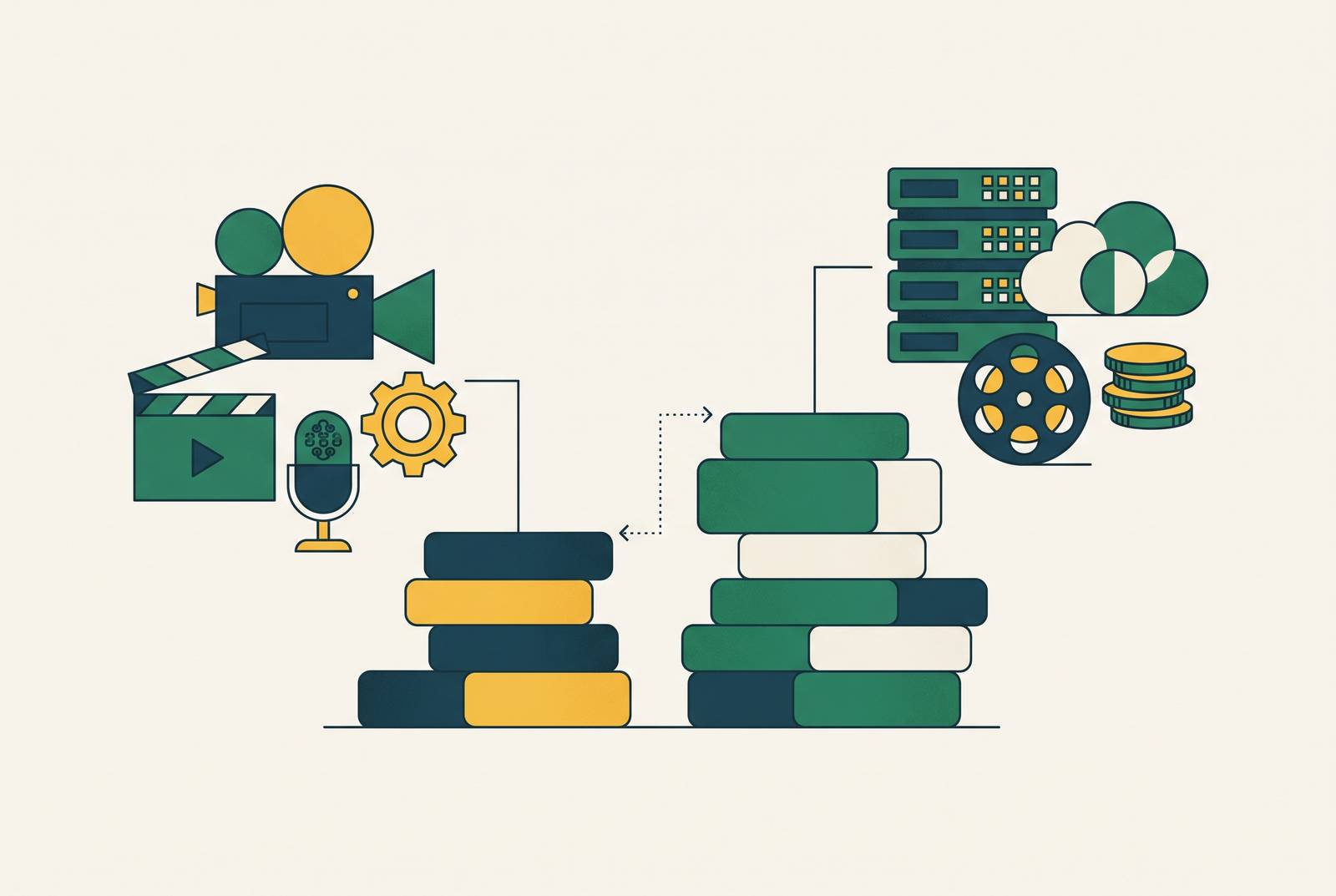
Two identical training video budgets can land tens of thousands of dollars apart, and the gap has nothing to do with which software logo is on the invoice. It comes down to which line items each stack actually removes and which ones it just shuffles around and hides. Chase that gap down before signing anything.
The sticker price of a production tool is the wrong number to budget against
Most L&D managers, asked what a video costs, will quote a subscription fee. That's the wrong number. The real money is in scripting hours, voiceover sessions, revision rounds, localization passes, and the labor spent updating a video six months later when the product changes and the whole thing goes stale.
Five things drive a training video budget up or down, and a pricing page reflects none of them: how interactive the module needs to be, how much instructional design goes into it, the format (talking head versus animation versus live-action), how many languages it has to ship in, and how often the content needs a refresh. A subscription tier tells you nothing about any of that.
Leadership wants a return on every dollar spent on video, and a fuzzy budget makes that impossible to prove. A fair comparison between stacks has to price the same finished, approved deliverable start to finish: the failed first drafts, the third and fourth revision rounds, rights clearance, file export. Not just the monthly software bill.
What a traditional production stack costs, line by line
Per-minute costs in a traditional shoot-and-edit workflow break down like this:
- Basic talking-head video: $500 to $1,500 per minute
- Professional live-action: $1,500 to $5,000 per minute
- Custom 2D animation: $2,000 to $8,000 per minute
- Interactive modules: north of $10,000 per minute, climbing fast once branching logic gets involved
Stretch that across a full program and the range runs from about $1,000 for a bare-bones single video up to $150,000 or more for a multi-module enterprise rollout.
Building an in-house team looks like the cheaper long-term bet, until the fixed costs get totaled up. A videographer runs $60,000 to $80,000 a year in salary. An editor adds another $55,000 to $76,000. Cameras, lighting, audio gear, and software licenses add $20,000 to $30,000 on top of that. All in, that's close to $150,000 a year before a single frame gets shot, and it only pencils out for teams pushing 8 to 12 or more videos annually. Fewer than that, and the fixed cost per video turns ugly fast.
Agencies split the difference, sort of. Average project cost runs a substantial amount, with hourly rates in the $100 to $149 range. Large enterprise contracts pull that average up hard, so a small team's quote may land well below it, but the number still tells you what full-service production costs when someone else owns the crew and the edit bay.
Where AI-assisted production removes cost
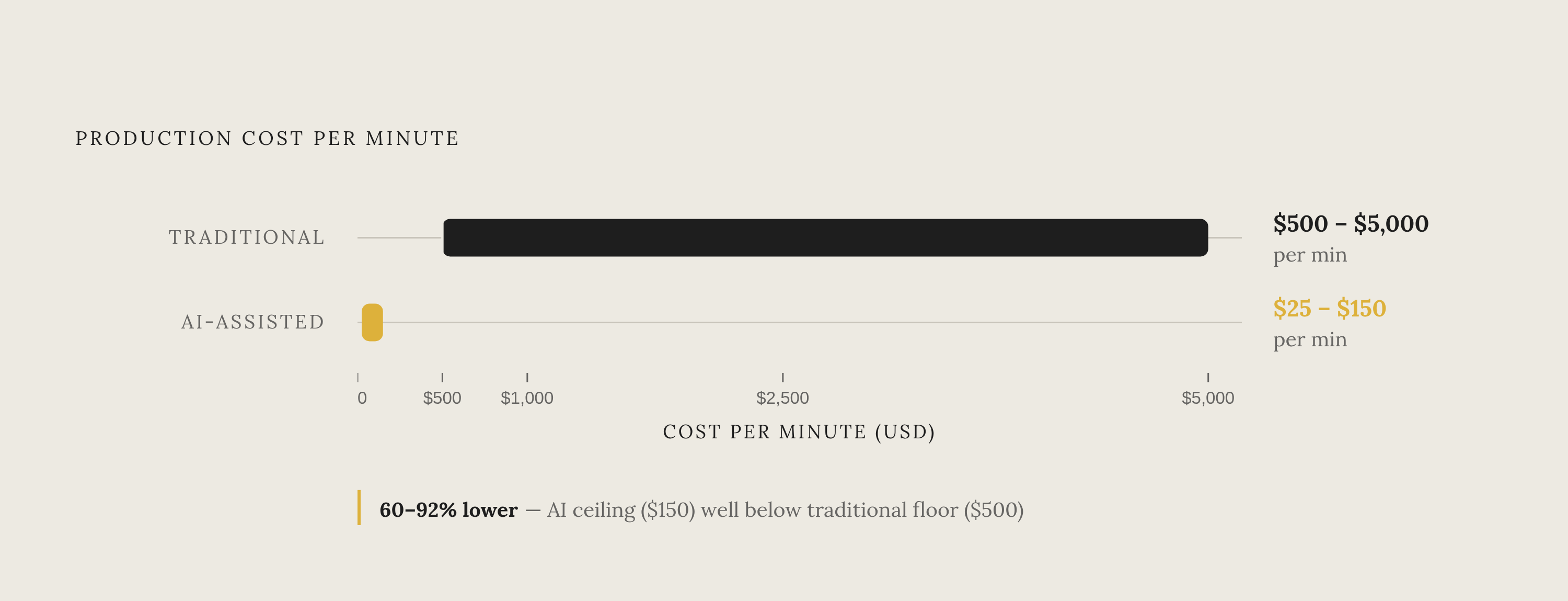
The savings are clearest in scripted, narration-driven content, which is the exact kind of video that makes up most corporate training. A 10-minute narrated module that runs $2,000 to $5,000 through a traditional workflow drops to $200 to $500 with an AI-assisted one. Industry analysis puts the cost reduction at 60% to 92% for narration-heavy content, and it holds for a product walkthrough, a compliance module, or an onboarding sequence.
Speed backs up the savings. A video that used to eat 2 to 3 weeks of calendar time, crew scheduling included, gets done in a few hours on an AI avatar platform. Teams report finishing projects 50% to 90% faster than the traditional equivalent.
What gets eliminated or compressed:
- Script cleanup: raw notes turn into production-ready copy without a writer sitting on it for days
- Voiceover sessions: AI text-to-speech or voice cloning replaces booking a studio and a narrator
- Re-shoots: change the script, regenerate the video, no crew rebooking
- Basic editing: zoom, captions, and pacing handled automatically instead of billed at an editor's hourly rate
And here's what doesn't compress, no matter how good the AI tool gets:
- Live-action documentary-style courses, where the cost is camera time and editorial judgment, neither of which AI touches
- High-stakes branching modules, where every decision path still needs its own instructional design and its own test cycle
- Legal review, rights clearance, and compliance sign-off, which stay human no matter the production method
That second list matters just as much as the first one. Anyone pitching AI as a full replacement for a production team is glossing over where the real cost still lives, and that's the pitch worth being suspicious of.
AI avatar platforms: what the pricing tiers buy you
Three platforms have pulled ahead for corporate training: HeyGen, Synthesia, and Colossyan. Each has a distinct strength and a distinct ceiling to know before committing budget.
Synthesia starts at $30 a month for individual users, with enterprise pricing custom-quoted. It offers over 240 stock avatars, support for more than 160 languages, and serves over 60,000 companies, mostly on the strength of polished, standardized corporate templates. SCORM export, the format most learning management systems require, sits locked behind the Enterprise tier, so any team needing LMS packaging is heading straight into a sales conversation and custom pricing. No way around it. AI Dubbing, which translates uploaded video into 30+ languages with lip sync, is available starting on the Starter plan, so that part at least doesn't require the enterprise jump. Synthesia fits large enterprise teams with compliance-heavy output and the budget to match.
HeyGen runs a free tier, then $29 a month for Creator (roughly 200 credits), $99 for Pro, and $149 for Business (plus $20 per added seat), with Enterprise custom-quoted. It supports a wide range of languages and leads the pack on lip-synced video translation: taking an existing video and regenerating it in another language with mouth movements that actually match. The Creator plan's 200 credits works out to about 10 minutes of the higher-quality Avatar IV or V video, and the "unlimited" language claim on that tier only applies to the lower Avatar III model, a distinction that trips up a lot of first-time buyers. SCORM support landed on the Business tier in 2026. Scaling a 25-person team onto Business clears $7,500 a year before any add-ons get counted. HeyGen suits teams that care more about multilingual output and voice cloning than LMS-native packaging.
Colossyan offers tiered pricing billed annually. It's the only one of the three with built-in course authoring, which includes quiz features without needing a separate LMS bolted on. It's also the only platform offering SCORM export on non-enterprise plans, a real point of separation from competitors that gate that feature behind an enterprise contract. Colossyan fits L&D and HR teams that want training-native features, learning paths, quizzes, SCORM, without an enterprise-level commitment.
The documentation layer: what SOP and process capture tools cost
Video does a good job capturing context: how a screen looks, where a click lands, what order steps happen in. The trouble starts the moment the underlying product changes. Updating a written step takes minutes. Re-recording a video means redoing the whole capture, and teams that lean hard on screen recording for documentation often end up with libraries full of guides that no longer match the software they document.
Representative pricing for process documentation tools:
- Pro Personal tier from a leading screenshot-capture tool: pricing varies by plan and billing cycle; the team tier runs $13 per user monthly with a five-seat minimum, and produces screenshot-based step-by-step guides on paid tiers
- A comparable step-by-step capture tool: roughly $22 per user monthly, billed annually
- The priciest single-creator option in this category: $200 a month
- A structured onboarding and SOP platform: pricing varies by seat count and contract terms
- A strong alternative for structured SOPs and onboarding flows with AI-assisted creation: $99 a month for 20 seats
- A widely used screen-recording tool: free starter tier capped at 25 videos, $18 per user monthly for Business, custom Enterprise pricing above that
Most teams end up running two documentation tools at once, not one: screen recording for the complex, context-heavy processes, and a lighter screenshot tool for quick how-to references. Budget for both, because that's how the tooling actually gets used in practice.
For teams that already have their source material written down as SOPs or manuals, document-to-video tools like Knowlify skip the scripting step. They generate training video straight from existing documents at $29 to $399 a month.
Localization cost: the line item most stacks underplan
Traditional localization is a whole second production pass: dubbing, subtitle timing, cultural adjustments to the visuals, sometimes full re-recording. It's a whole second production pass: dubbing, subtitle timing, cultural adjustments to the visuals, sometimes full re-recording. Costs don't add here, they multiply, once per market added.
ElevenLabs dubbing rates run $0.33 to $0.50, and industry analysis from Fora Soft points to dubbing and captions as the single biggest cost lever in a modern production stack, often bigger than the avatar generation itself.
HeyGen's lip-synced translation regenerates an existing video in another language with matching mouth movements, available starting on the $29-a-month Creator tier. Synthesia's AI Dubbing supports over 140 languages with frame-accurate lip sync, available from the Starter tier up (the free Basic plan excludes lip sync). Neither company locks the feature behind an enterprise quote, and that matters for any team budgeting a multilingual rollout from day one instead of bolting it on later, after the first market's already shipped.
Mapping the three stack archetypes against each other on total annual cost
Traditional, agency or in-house, runs about $150,000 a year in fixed personnel and equipment costs before a single video ships. Agency work averages a substantial sum per project, and at even modest program volume that clears six figures a year fast. Per-minute costs are $500 to $5,000 depending on format. Localization multiplies with every market added, each one its own production pass, and any content update means a re-shoot or a re-record. This path makes sense when live-action documentation is genuinely required, or when video volume stays very low. Otherwise it's the most expensive way to solve the problem.
Hybrid stacks, screen recording plus freelance editing plus a few AI tools mixed in, run lower fixed costs, but revision and localization work stays mostly manual. Agency and freelance rates at the low end can run in the same general range, and per-project cost swings wide. AI tools shave some editing time off, but the human bottleneck at scripting and re-shoots never actually goes away. The common failure mode here: raw screen recordings ship without real polish, and that undercuts learner trust fast.
AI-assisted stacks, avatar platform, AI voiceover, and a documentation co-pilot working together, run $25 to $150 per minute against $500 to $5,000 traditional. A 10-minute narrated module costs $200 to $500 instead of $2,000 to $5,000. Localization becomes one click, or close to it, at a small marginal cost instead of a whole new production pass. Updating a video means regenerating from a revised script: no re-booking, no re-recording. For a mid-size program, the annual stack cost is around $14,000 to $20,000, multilingual output included, and production runs 50% to 90% faster, with 2-to-3-week productions compressing down to a few hours.
The 60% to 90% cost cut holds up specifically for scripted, narration-heavy, frequently updated, multi-language software training content. That happens to be the bulk of what SaaS companies and enterprise L&D teams actually produce, so the AI-assisted stack is the right default.
What a well-structured AI-assisted stack looks like in practice
A well-built stack runs three or four tools, each handling the layer it's actually good at, with a clear budget line attached to each one.
Start with the avatar and voice layer. Budget $19 to $149 a month depending on whether SCORM export, course authoring, or enterprise-scale multilingual output is required. Choose between Synthesia, HeyGen, and Colossyan based on which of those three matters most for the specific program, not on brand familiarity.
Next comes the documentation layer, usually split across two tools: one for screen recording of complex, multi-step processes, one for lighter screenshot-based how-to guides. Combined, that runs to a modest monthly sum depending on team size and seat count.
Then localization, which shouldn't get bolted on as an afterthought. Dubbing costs run $0.33 to $0.50 through a service like ElevenLabs, or fold into the avatar platform's own dubbing feature where the tier allows it. Budgeting this in from the start, rather than pricing it per-market after the fact, is what keeps a multi-language rollout from quietly doubling in cost halfway through.
For a mid-size training program, the annual total is in the $14,000 to $20,000 range, multilingual output included, against $150,000 or more for an in-house traditional team producing a comparable volume of content. That gap isn't a rounding error, and it isn't close. A training program that gets updated the week the product changes is a different asset entirely from one that quietly goes stale because nobody wants to pay for a re-shoot.
Sources
- Training Video Cost & ROI: What It Actually Costs to Build a Program in 2026
- AI Video Platforms for E-Learning: 2026 Buyer's Guide
- Video production cost in 2026: calculator & examples
- Best AI Video Tools for Training & Education in 2026 (for L&D Teams)
- U.S. Procurement: 2026 Training Video Costs and AI Options
- Training Video Cost: AI vs Traditional | VideoLearningAI
- leadde.ai
- colossyan.com